sábado, 29 de agosto de 2009

ShaderX7 contribution

Finally, my article doesn't appears in the ShaderX7 book :(
But, hey! I appear inside as contributor. My fifteen minutes of fame :D


jueves, 13 de agosto de 2009

Light shafts


In my holidays I'm trying new techniques for my terrain engine. Unfortunately, in my screen space terrain implementations, the well-known artifact of "vertex swimming" appears and it's very noticiable :|

I think that I can reuse the technique in order to code a cool screen space water effect in the near future.

For now, I'd been added the "Game Programming Gems 6" terrain technique (very simple, pretty fast, and without any pre-calculation), light shafts (but the effect needs a radial blur), and particle billboards for cloud rendering.

viernes, 26 de junio de 2009

jueves, 5 de marzo de 2009

sábado, 22 de noviembre de 2008

Screen space terrain

Lastest days I've been busy coding a demo of a "screen space terrain". There isn't geometry here, only heightmaps. A grid is projected over a plane by a projector camera (in red). At now I'm trying to fix vertex interpolation and making a more better projector. Frame rate is constant because the projected grid has the same size along the scene.
When I finish it, I'll upload a demo with full source code.


lunes, 3 de noviembre de 2008

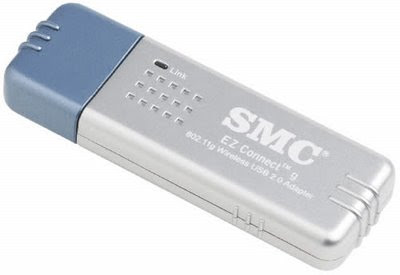
How to configure SMC EZ-Connect usb wifi stick into Ubuntu


My current distro is xubuntu 8.10, but it could be apply to
an older xubuntu 8.04, kubuntu, and ubuntu distributions:

1. Install ubuntu
2. Install ndiswrapper from cd instalation folder. Click over this two files:
"/pool/main/n/ndiswrapper-common_1.50-1ubuntu1_all.deb" and
"/pool/main/n/ndiswrapper-utils-1.9_1.50-1ubuntu1_amd64.deb"
3. Copy your ".inf" file from SMC driver CD to a local folder.
4. Type this into console (changing your name and driver name, of course):
ndiswrapper -i /home/user_name/xxxxx.inf
ndiswrapper -mi
5. NOTE: You could be use ndisgtk also, and remember that if your ubuntu
runs at 64bit you need the 64 bit driver (xp64 for example).
6. Type sudo gedit /etc/network/interfaces
7. Copy and paste this into file:
auto lo
iface lo inet loopback

auto wlan0
iface wlan0 inet dhcp
pre-up ifconfig wlan0 up
pre-up iwconfig wlan0 essid WLAN_20
pre-up iwconfig wlan0 key s:'C1131DA6BFB21'

8. NOTE: Change 'WLAN_20' to your wireless name and 'C1131DA6BFB21' to your WEP password.
9. Save file changes and reboot
10. Open firefox and type www.google.com :)

viernes, 24 de octubre de 2008

3DisplayForum

This month I've been busy by preparing my conference for the first 3DisplayForum. In the website you'll can download the conferences of the other partners soon.


Hey, that's me :D

My conference was titled "Photo-realistic illumination in real-time" and you can download the PDF of the conference here (sorry, at now only in spanish).

This year was showed in Madrid, I hope that if you live in Spain you can
attend next year if you're interested.
